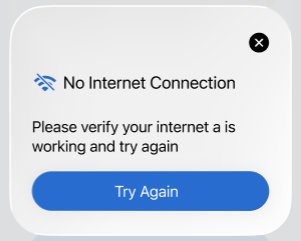
Why am I getting a network error?
Connection errors may be caused by an internet failure or an unstable connection. To resolve this issue, we recommend following the steps below:
- Check for updates: Visit your app store to see if there is a newer version of the game available. Keeping your app updated ensures you have the latest performance improvements and bug fixes.
- Verify your network: Try switching to a different connection, such as alternating between Wi-Fi and mobile data.
- Restart your connection: Turn your internet (and your router) off and on again to refresh the signal.
- Move closer to the router: Stay near your router to ensure a stronger and more stable wireless signal.
-
Disable ad blockers and VPNs: These can interfere with the game’s connection. If prompted, please disable them to allow the game to function properly.
About Offline Play
Please note that Everyday Puzzles can be played offline at any time. However, if we need to apply an urgent fix or update, it may be necessary to connect to the internet temporarily.
If the issue persists after following these steps, please contact us at epplus@fanatee.com. Send us a screenshot of the error you're experiencing, and our team will do their best to assist you.